

Electrical & hardware shop
Bills walk-in and contractor customers with GST invoices, and sends WhatsApp reminders to those who buy on credit.
- GST invoices with HSN
- WhatsApp payment reminders
- Customer outstanding
Switch guide · Vyapar
Export your parties, stock summary and sale report from Vyapar as Excel, upload them here, and carry on billing — same numbering, same GST details, in your own database.
Free forever plan · no card · nothing is saved until you press Import
What carries over
Export from your old program, upload the file as it is, and check every row before anything is saved. Parties first, then items, then old invoices.
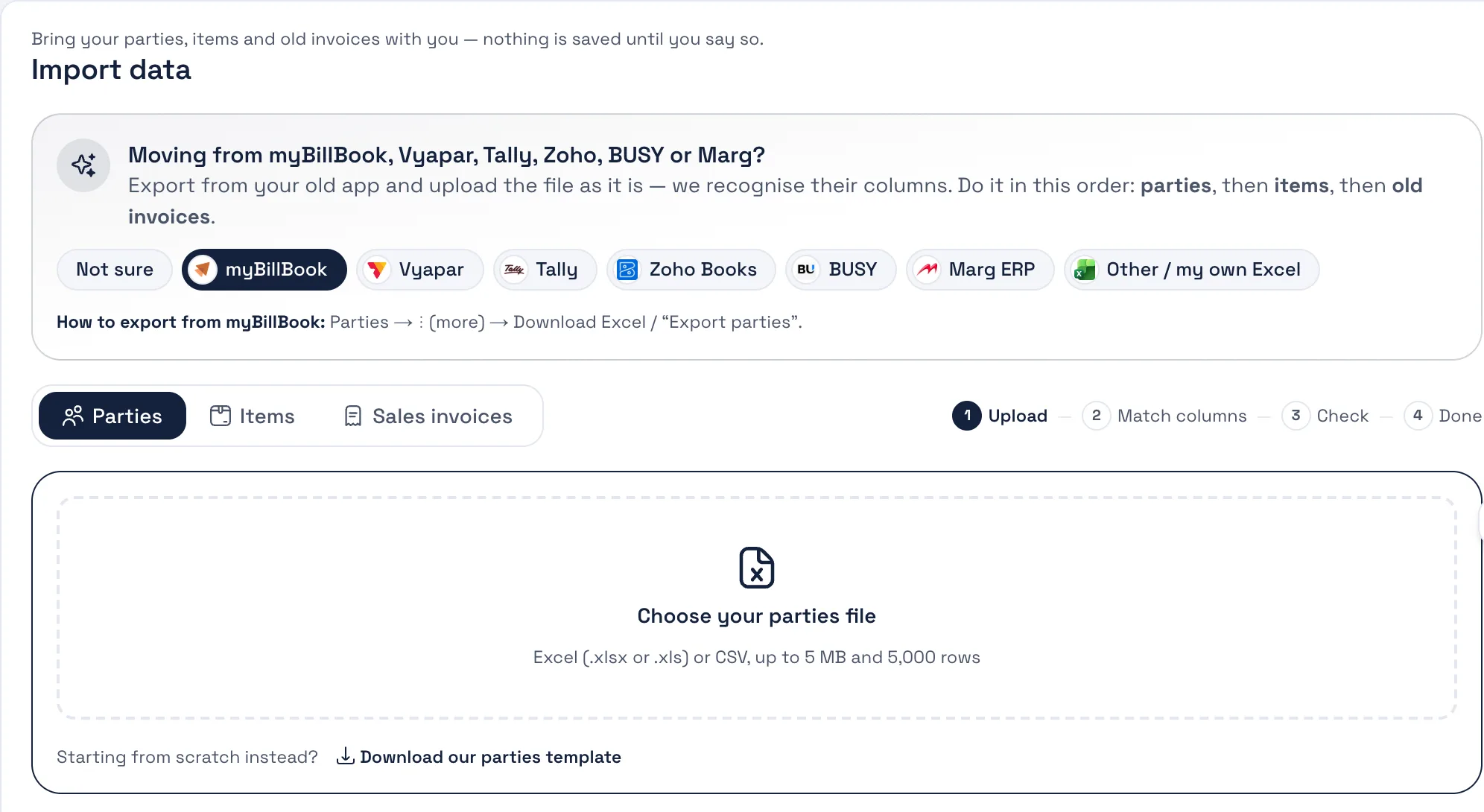
The exact menu for each file:
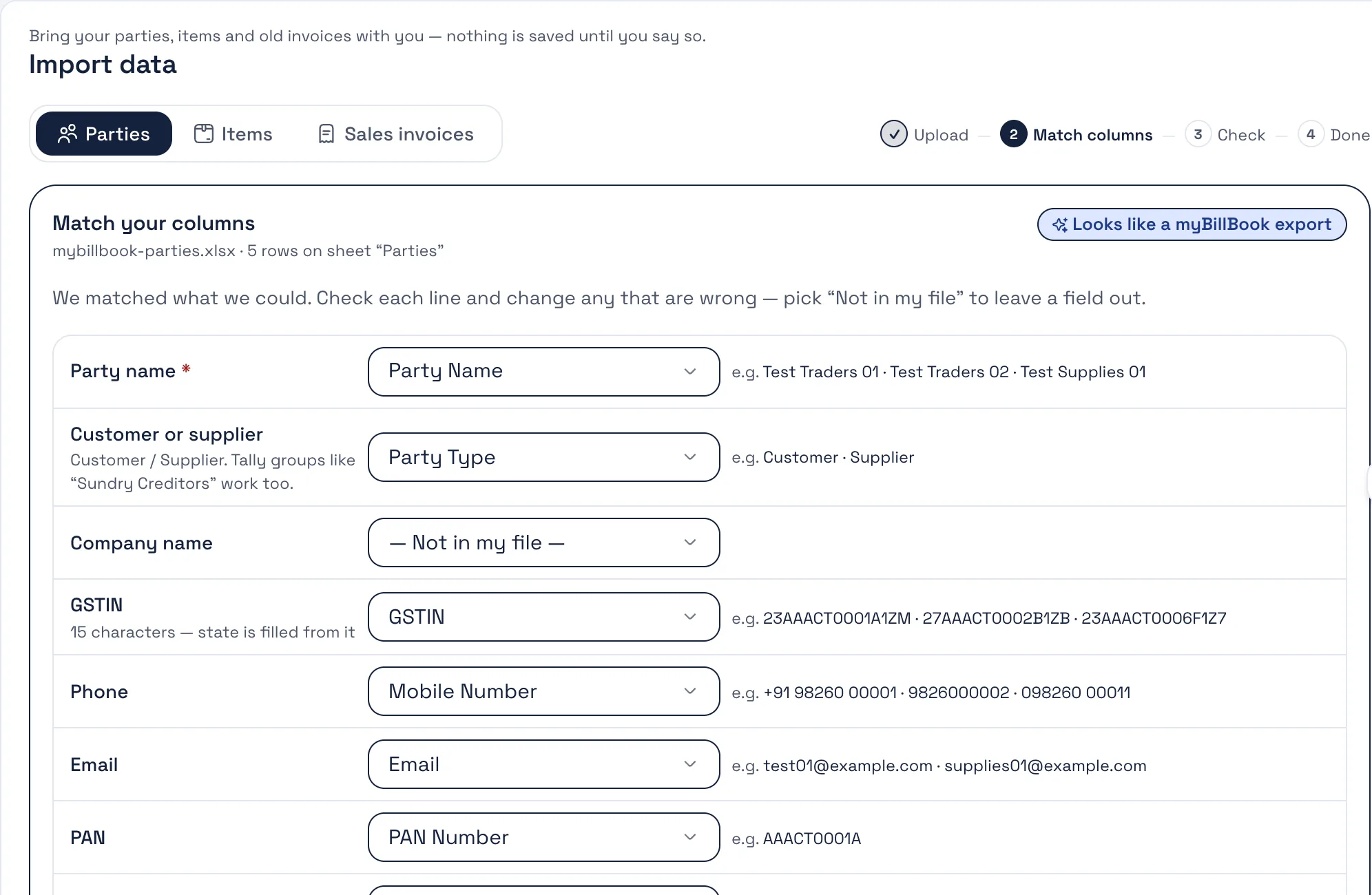
Dashboard → Import data. Pick Vyapar (or let Bezuri detect it from the header row) and drop the file. Every column is matched to a field and shown to you first — change any guess from a dropdown.
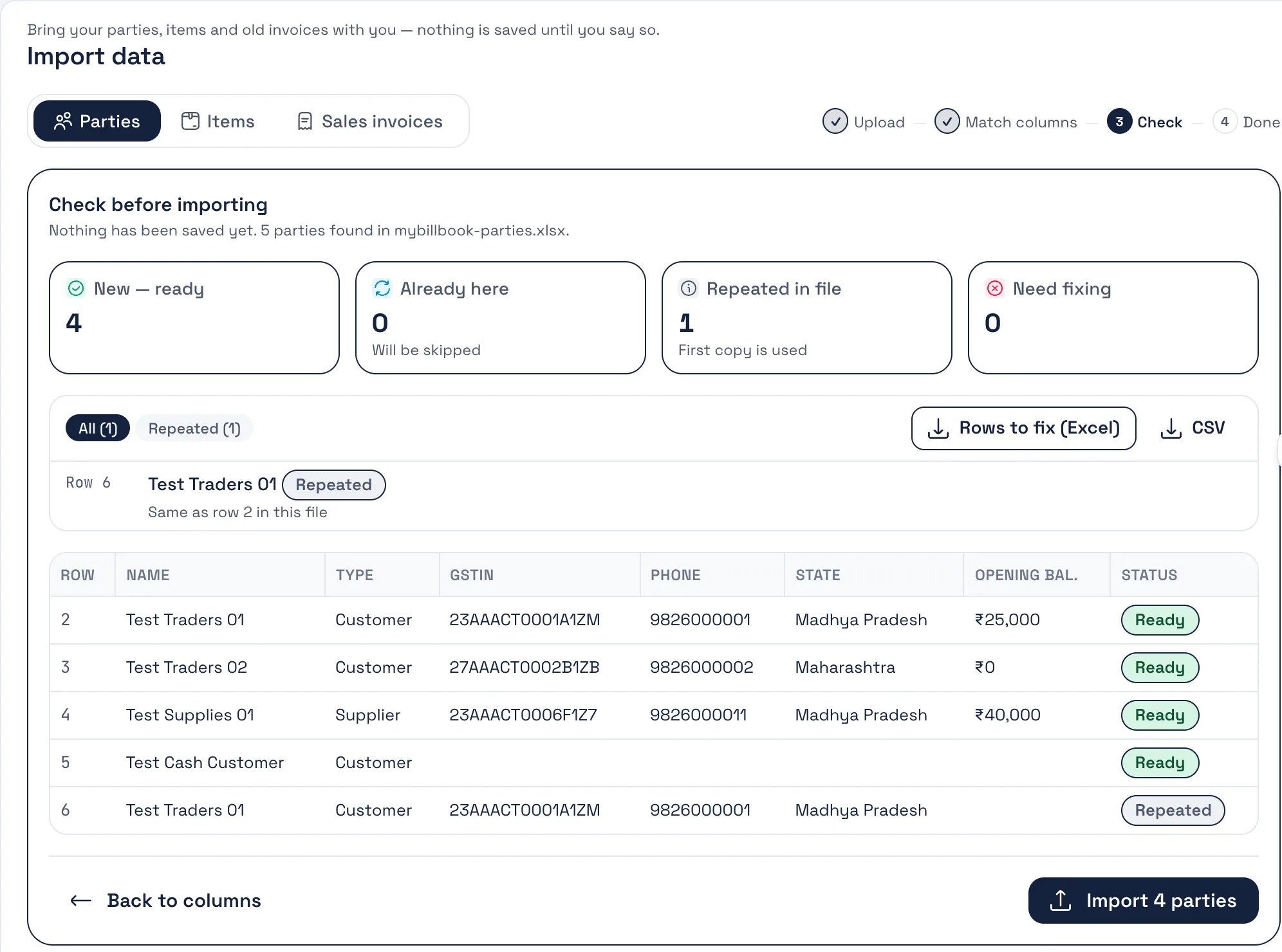
Each row is checked: new, already here (skipped or updated — your choice), repeated in the file, or needs a fix. Download the rows to fix, correct them, upload again. Then press Import and bill.
Side by side
Only what we can stand behind. The Bezuri column is what the product does today; the other column is neutral wording from public pages, not a verdict.
| Feature | Bezuri | Vyapar |
|---|---|---|
| Your own database per business | Yes — each business gets its own database | Not stated on their public pages |
| Billing, stock, purchases and reports | Free, no time limit | Free basics on Android; desktop and premium are paid |
| Import parties, items and sales invoices from Excel/CSV | Yes — with a preset that reads this program’s column names | You are already there |
| WhatsApp payment reminders | Yes — scheduled reminders with the bill link | Varies by plan — see their site |
| e-Invoice (IRN) and e-way bill | GST add-on, with your own IRP credentialsGST add-on | Varies by plan — see their site |
| Web and Android on the same data | Yes — browser and Android app, one account | Android, iOS and Windows desktop |
Swipe the table sideways to see the Vyapar column.
Competitor details from public pages, October 2026; plans and features change — check their site. Trademarks belong to their owners; Bezuri is not affiliated with Vyapar.
What you keep
Set the prefix and next number once in Settings → Numbering & Defaults; the next bill follows your last one.
GSTINs, HSN codes and GST rates come across with each party and item; CGST/SGST or IGST is worked out from the states.
Sales invoices from Vyapar import with their numbers, dates, totals and balances, so outstanding and reminders work from day one.
Write to [email protected] with your export and we will help you through your first month — mapping, re-runs and all.
Pick an invoice layout, add your logo, signature and brand colour, and set your own terms once — every quotation, proforma and purchase order matches. These are real prints from Bezuri.
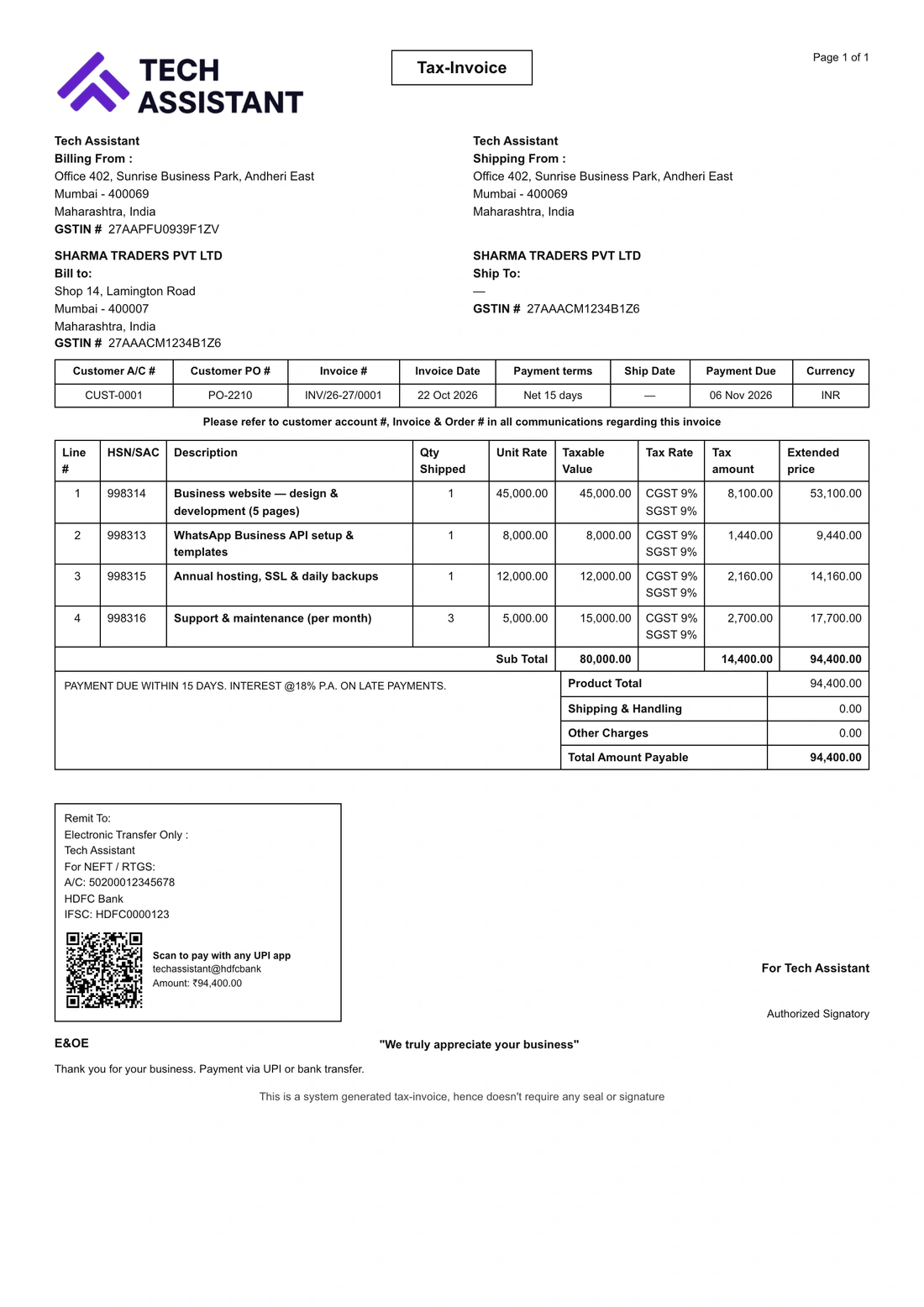
Add your logo, signature, brand colour and terms in Settings → Theme & Template — every document follows.
Try it freeExamplesTypical ways shops and firms use it
Illustrations of the features each kind of business tends to reach for — not customer stories. Every feature named here is in Bezuri today.
Bills walk-in and contractor customers with GST invoices, and sends WhatsApp reminders to those who buy on credit.
Raises purchase orders to suppliers, receives the goods into stock, and sends delivery challans with each dispatch.
Bills monthly retainers automatically, records the TDS clients deduct, and issues e-invoices when the turnover needs them.
Bills at the counter on the POS screen, scans or searches items, and prints a receipt on a thermal printer.
Creates the e-way bill from the invoice for each consignment, and exports GSTR-1 for the CA at month end.
Runs more than one business or branch from one login, each with its own books, GSTIN and team.
Switching from Vyapar
Parties (name, phone, GSTIN, address and receivable or payable balance), items (name, HSN, sale price, GST rate, stock, category and minimum stock) and sale transactions (invoice number, date, party, total, received and balance). Only rows of type “Sale” are imported from an All Transactions report; purchases, expenses and payment entries are left out.
Yes. In Settings → Numbering & Defaults, set your invoice prefix and the next number, and the first bill you make in Bezuri carries on from your last one in Vyapar. Imported bills keep the numbers they already had.
Yes. An import only adds to Bezuri; it changes nothing in your old program. Run it again later and rows that already exist are skipped (or updated, if you choose) rather than duplicated.
The import guesses the mapping from the header row and shows you every column before anything is saved; change any guess from a dropdown. If you are starting fresh, download our blank template instead.
Billing, stock, purchases, payments, reminders and reports are free with no time limit. Only e-invoice (IRN) and e-way bill are a paid GST add-on, priced per business on the Pricing page.
Free account, no card. Upload your exports, check every row before it is saved, and send your next invoice from Bezuri.