
For shops and retail counters
Bill at the counter. Stock keeps itself.
Scan or search items on the POS screen, print a receipt on a thermal roll, and watch stock update with every sale — with a proper GST invoice for anyone who needs one.
Free forever plan · web and Android · your own database per business
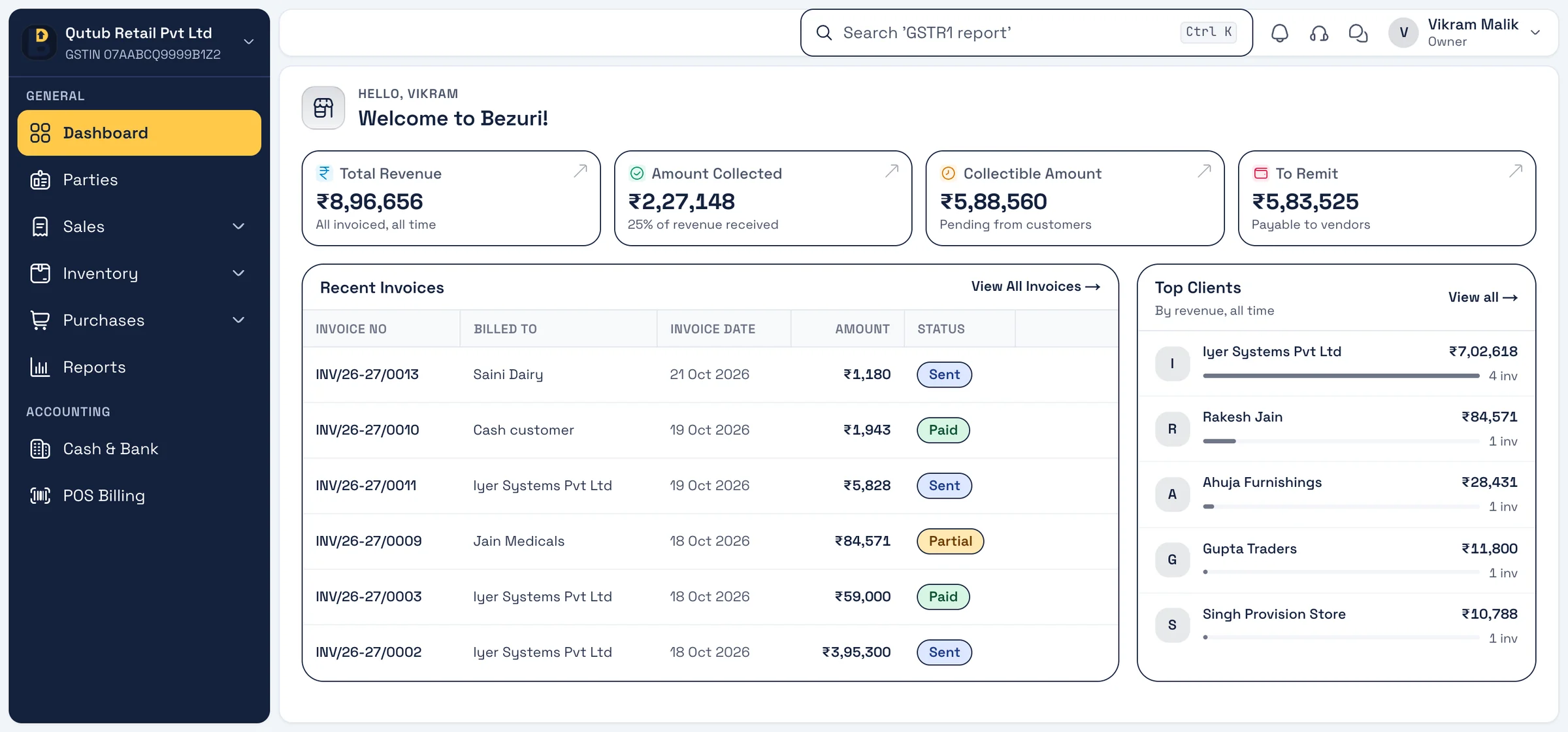
A day with Bezuri
How shops and retail counters use it
Three moments of a working day, each on a real screen from the app. Every feature shown is in Bezuri today.
Opening
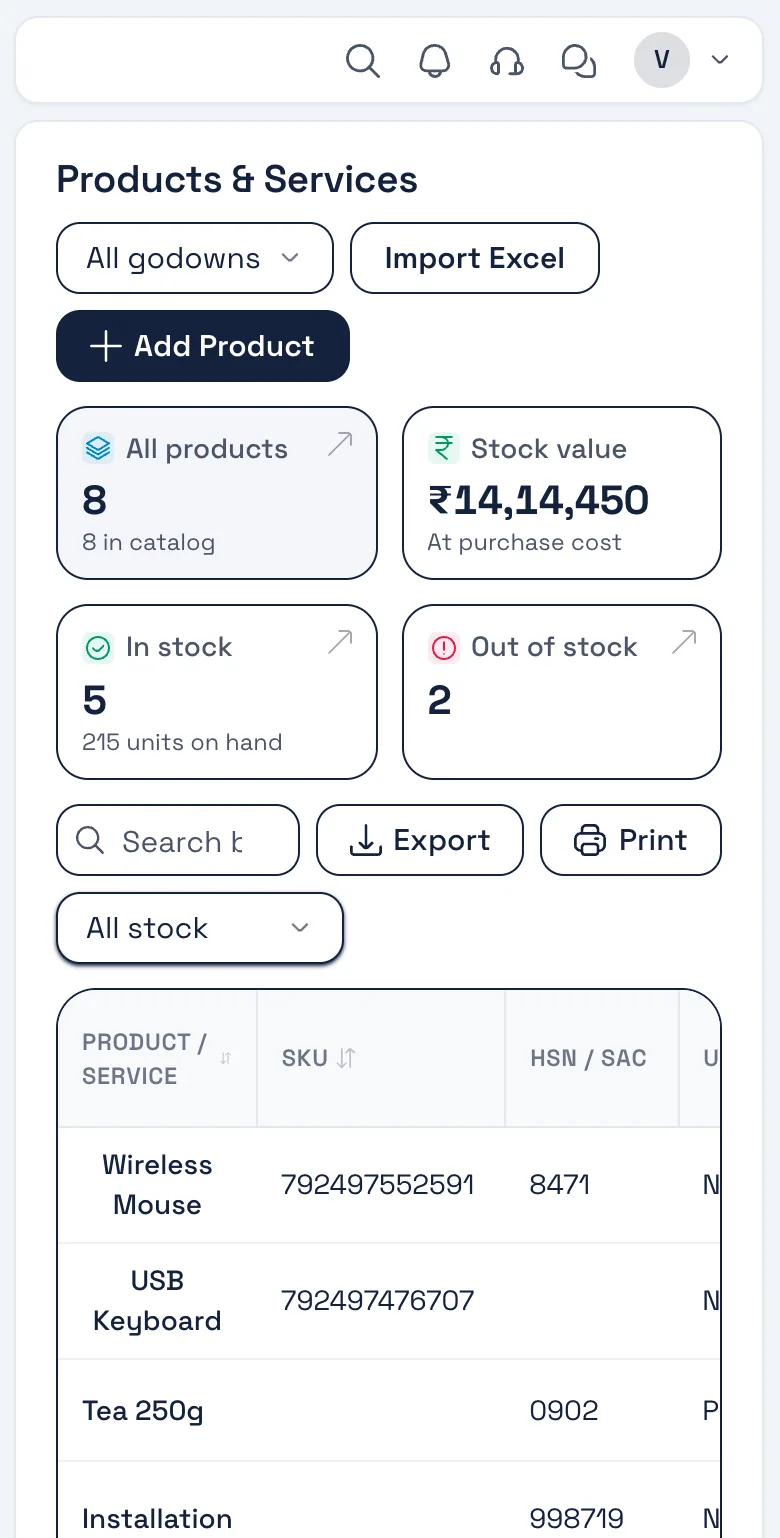
1Check what is low
The items list shows stock on hand, value at purchase cost and what has run out, so the morning order goes to the supplier before the rush.
Real screen, sample data Through the day
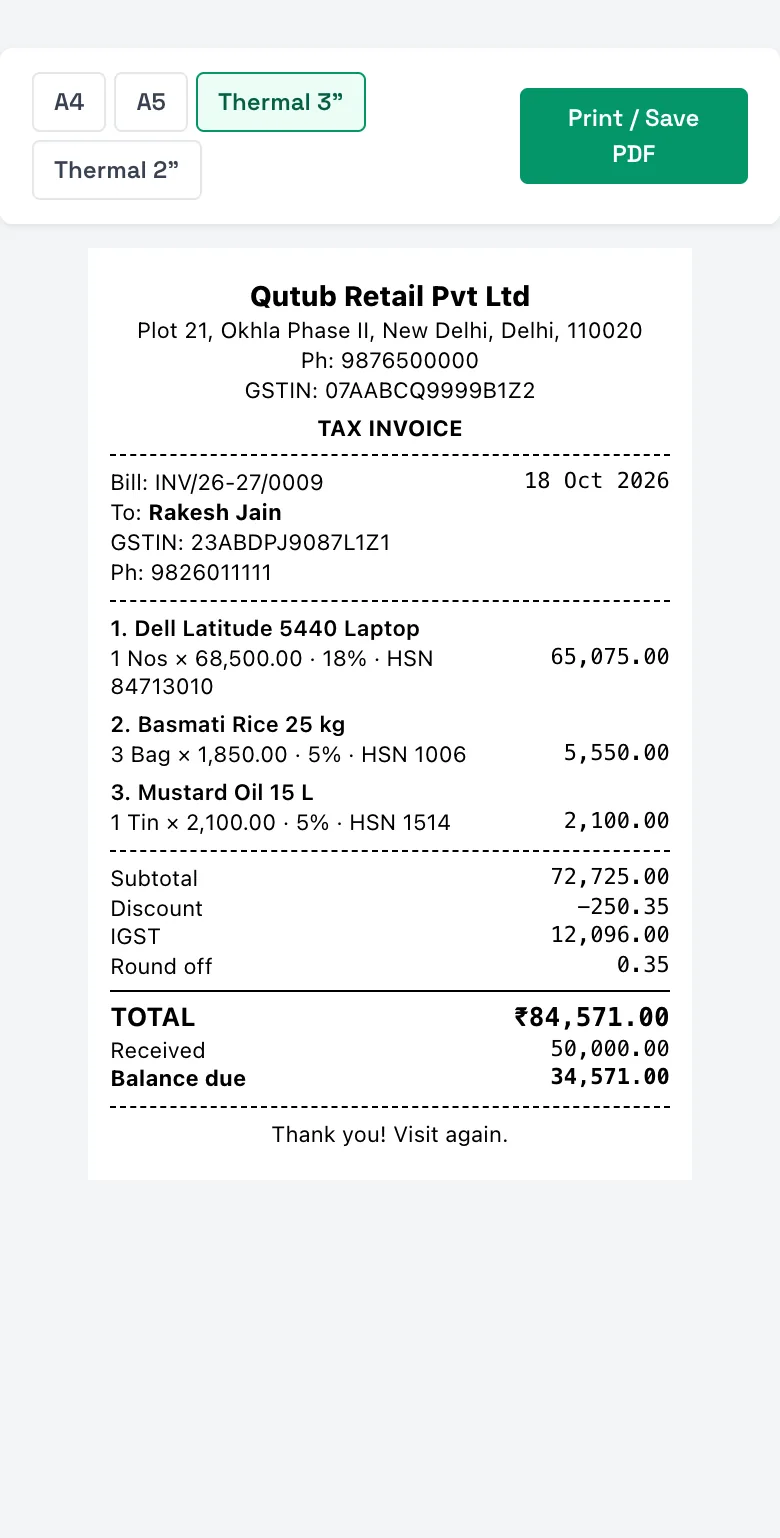
2Bill at the counter
POS screen: scan or search, take cash or UPI, print a 3-inch or 2-inch thermal receipt with the GST split — or a full A4 tax invoice when asked.
Real screen, sample data Closing
3Count the day
Today’s sales and collections on the dashboard, and the purchase bills you still owe — before you pull the shutter.
Real screen, sample data
What you will use
Features retail counter reach for
All on the free plan unless marked GST add-on. Nothing listed here is coming soon — it is in the product.
- POS billingFast counter screen; barcode scan or search.
- Thermal print3" and 2" receipts with GST split and balance due.
- Stock per saleEvery bill moves stock; low-stock alerts.
- GST and non-GST billsHSN on each line; B2C or B2B as needed.
- Purchase billsRecord supplier bills and what you owe.
- Sales returnsReturn notes that put stock back and adjust the bill.
Invoice layout for retail counter
The Classic layout
A calm letterhead layout with your logo for the customers who ask for a full tax invoice instead of the receipt.
A calm letterhead layout with your logo, a clear item table and bank details. Four more layouts to pick from; add your logo, signature, colour and terms once in Settings → Theme & Template.
See all five layouts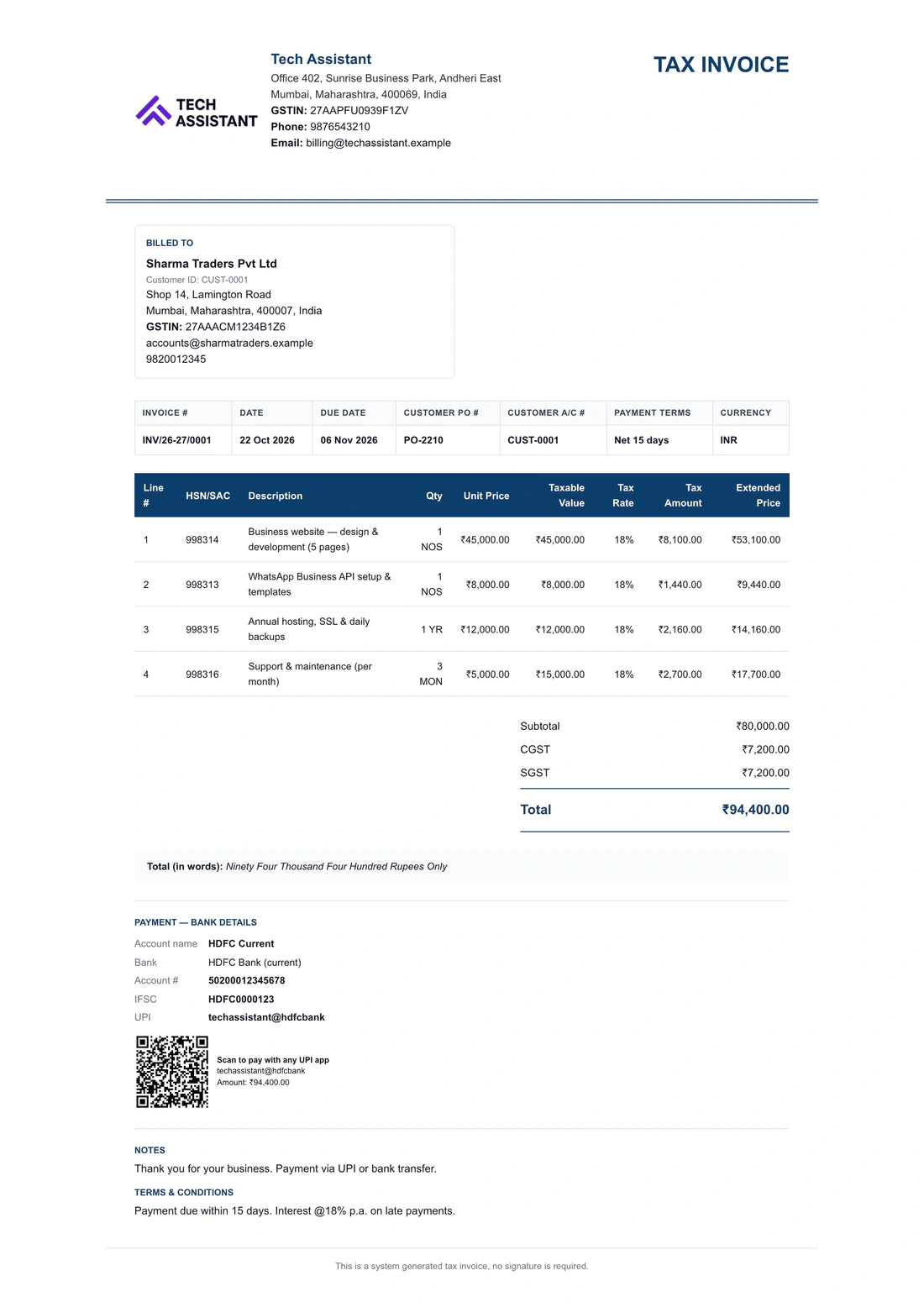
Retail counter
Questions from this trade
Does it work with a barcode scanner?
Yes. A USB or Bluetooth scanner that types the code works on the POS screen; items can carry a barcode field.
Which thermal printers work?
Receipts print through the browser on 3-inch (80 mm) and 2-inch (58 mm) rolls — any printer your computer or phone can print to.
Can I bill without GST?
Yes. Make non-GST bills for an unregistered business, or GST bills with HSN when you are registered — both from the same items.
Can I bring in my item list?
Yes. Import items with barcode, HSN, price, GST rate and opening stock from Excel or from myBillBook, Vyapar, Tally and others — see the switch guides.
Can I use it on my phone at the counter?
Yes — the Android app and the browser share the same account and data.
Other trades
Built for every kind of business
Start billing for your retail counter today.
Free account, no card. Your own database, the Android app, and your data importable from Excel or your old software.