
For distributors and wholesalers
Stock in, challans out, money collected.
Raise purchase orders, receive goods into stock, send a delivery challan with every dispatch and see who owes what — from one screen, in your browser or on your phone.
Free forever plan · web and Android · your own database per business
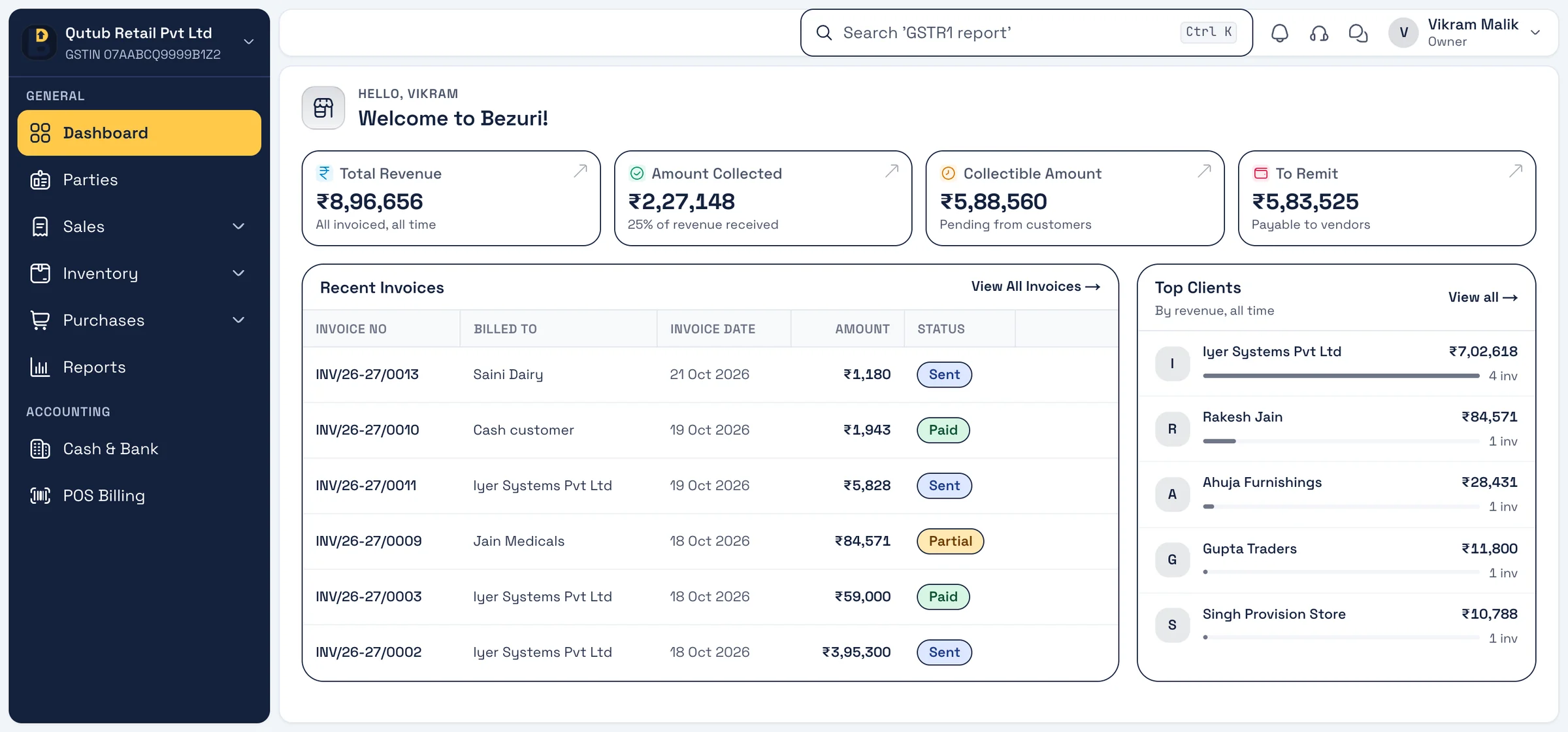
A day with Bezuri
How distributors and wholesalers use it
Three moments of a working day, each on a real screen from the app. Every feature shown is in Bezuri today.
Morning
1Receive the truck
Open the purchase order, record the goods receipt, and stock and the vendor bill update together — what you owe is always current.
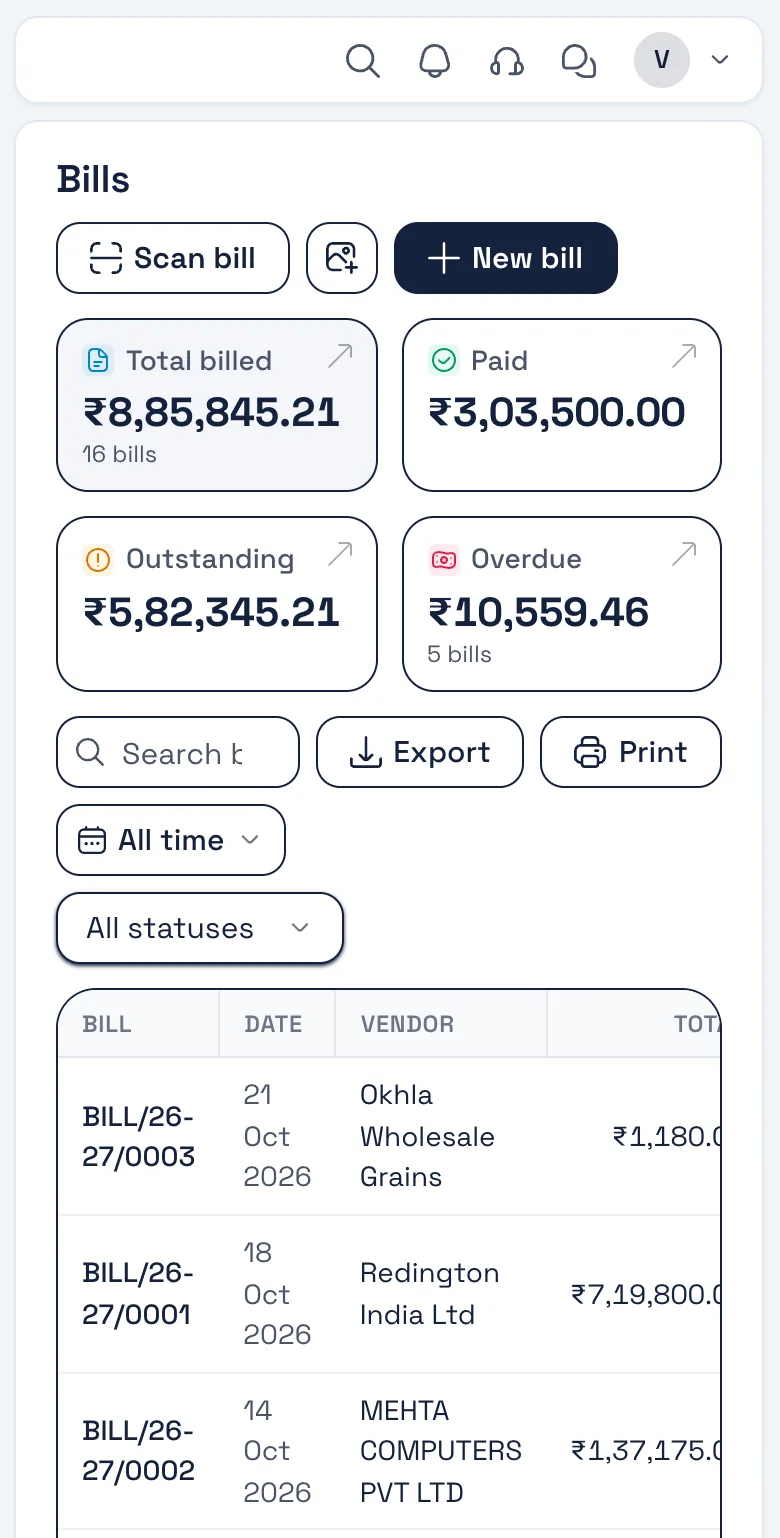
Real screen, sample data Afternoon
2Dispatch to retailers
Send a delivery challan with the goods, or convert the sales order to a tax invoice — HSN on every line, CGST/SGST or IGST worked out from the states.
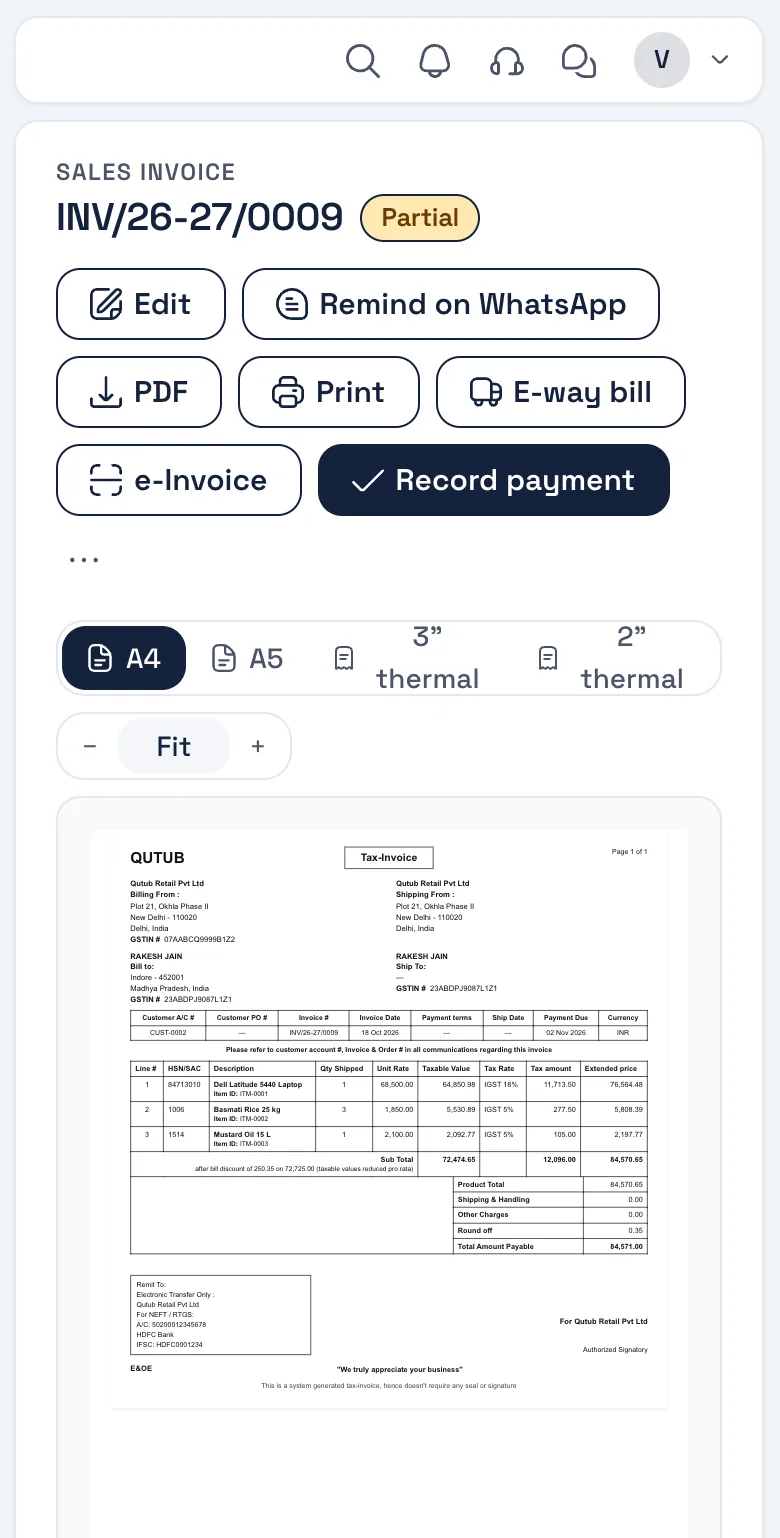
Real screen, sample data Evening
3See who owes what
Customer-wise outstanding on the dashboard; send WhatsApp reminders with the bill link to those past due.
Real screen, sample data
What you will use
Features distributors reach for
All on the free plan unless marked GST add-on. Nothing listed here is coming soon — it is in the product.
- Purchase ordersRaise POs to suppliers and track what is still to arrive.
- Goods receipt (GRN)Receive against a PO; stock and the bill follow.
- Delivery challansA dispatch note with every consignment; bill separately.
- Sales ordersTake the order, convert it to the invoice when you ship.
- Live stockDown on every sale, up on every receipt; value at purchase cost.
- Customer outstandingWho owes what, ageing, and the ledger per party.
- WhatsApp remindersScheduled reminders with the bill link; delivery tracked.
- e-Way billGST add-onBuilt from the invoice for each consignment.
Invoice layout for distributors
The Tally-style layout
The boxed format your retailers’ accountants already read, with HSN-wise tax and the amount in words.
The boxed format accountants recognise, with HSN-wise tax and amount in words. Four more layouts to pick from; add your logo, signature, colour and terms once in Settings → Theme & Template.
See all five layouts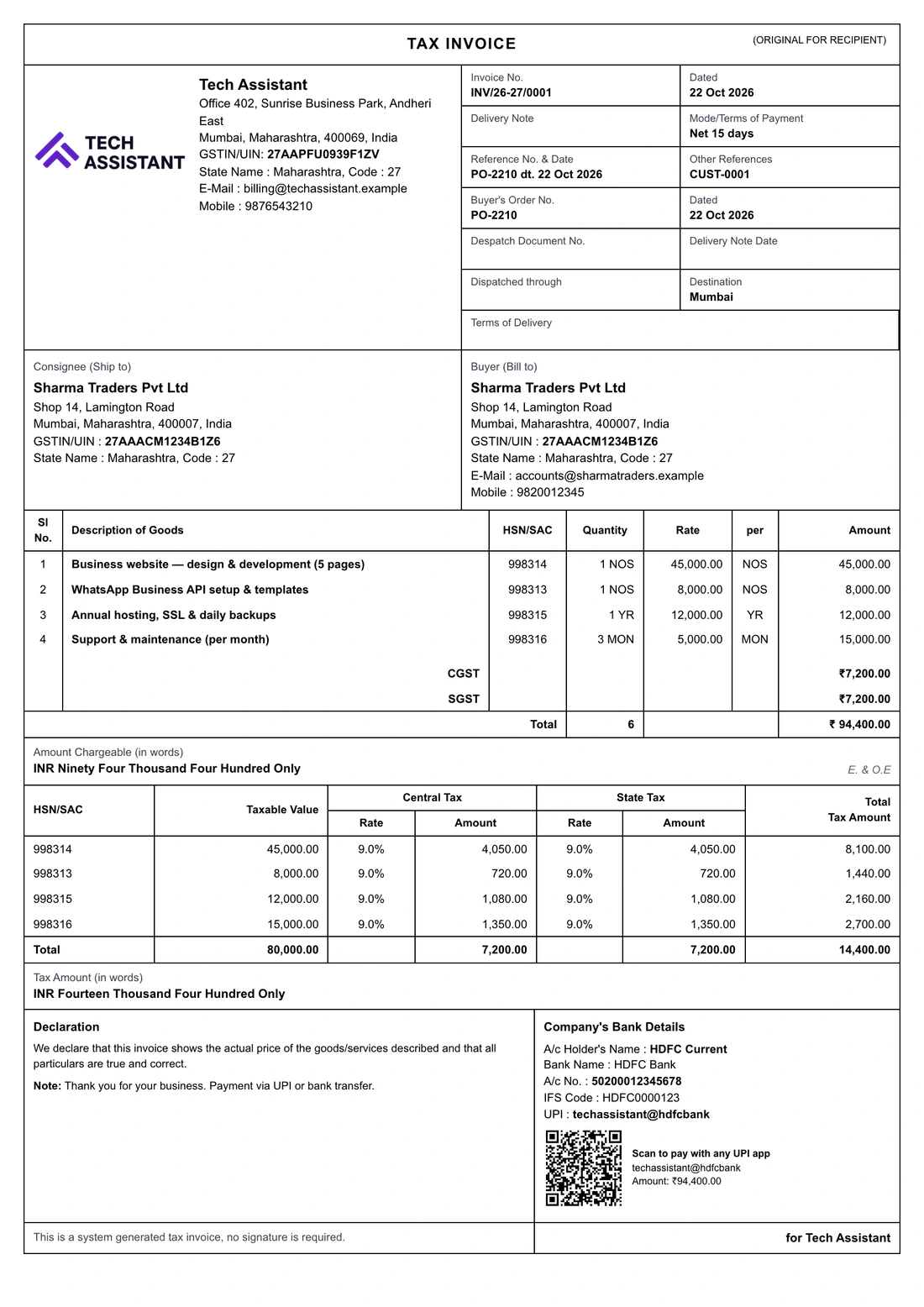
Distributors
Questions from this trade
Can I dispatch first and bill later?
Yes. Send a delivery challan with the goods and raise the tax invoice when you bill. Sales orders and quotations convert to invoices with their lines.
Does stock come down when I send a challan or an invoice?
Stock moves with the invoice; a challan records the dispatch. Goods receipts and sales returns move it the other way.
Can I see outstanding per customer?
Yes — on the dashboard, in the party ledger and in the outstanding report, with ageing.
Do I need the GST add-on?
e-Invoice and e-way bill are the paid GST add-on; everything else here is on the free plan. You need an e-way bill when goods worth more than ₹50,000 move (some states set their own limit).
Can my godown staff use it too?
Yes. Add them in Settings → Team with a role that lets them receive goods and raise challans without seeing prices or reports.
Other trades
Built for every kind of business
Start billing for your distributors today.
Free account, no card. Your own database, the Android app, and your data importable from Excel or your old software.