
For owners with several businesses or branches
Every business in its own books. One login.
Run two shops, a trading firm and a services arm — each with its own GSTIN, invoices, stock and team — and switch between them without signing out.
Free forever plan · web and Android · your own database per business
A day with Bezuri
How owners with several businesses or branches use it
Three moments of a working day, each on a real screen from the app. Every feature shown is in Bezuri today.
Morning
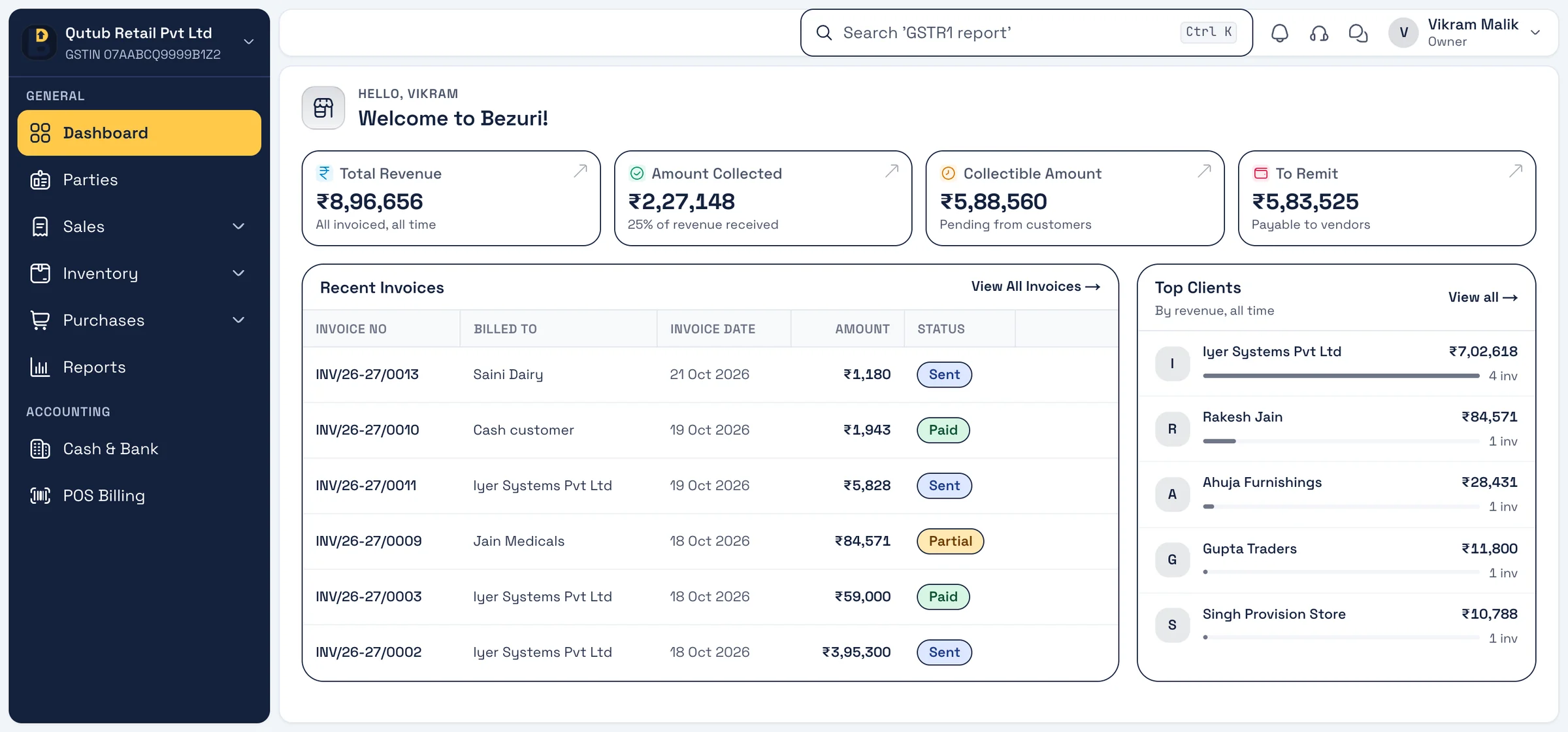
1Open the right business
One login lists every business you own or work in; each has its own dashboard, numbering and data — nothing mixes.
Real screen, sample data Through the day
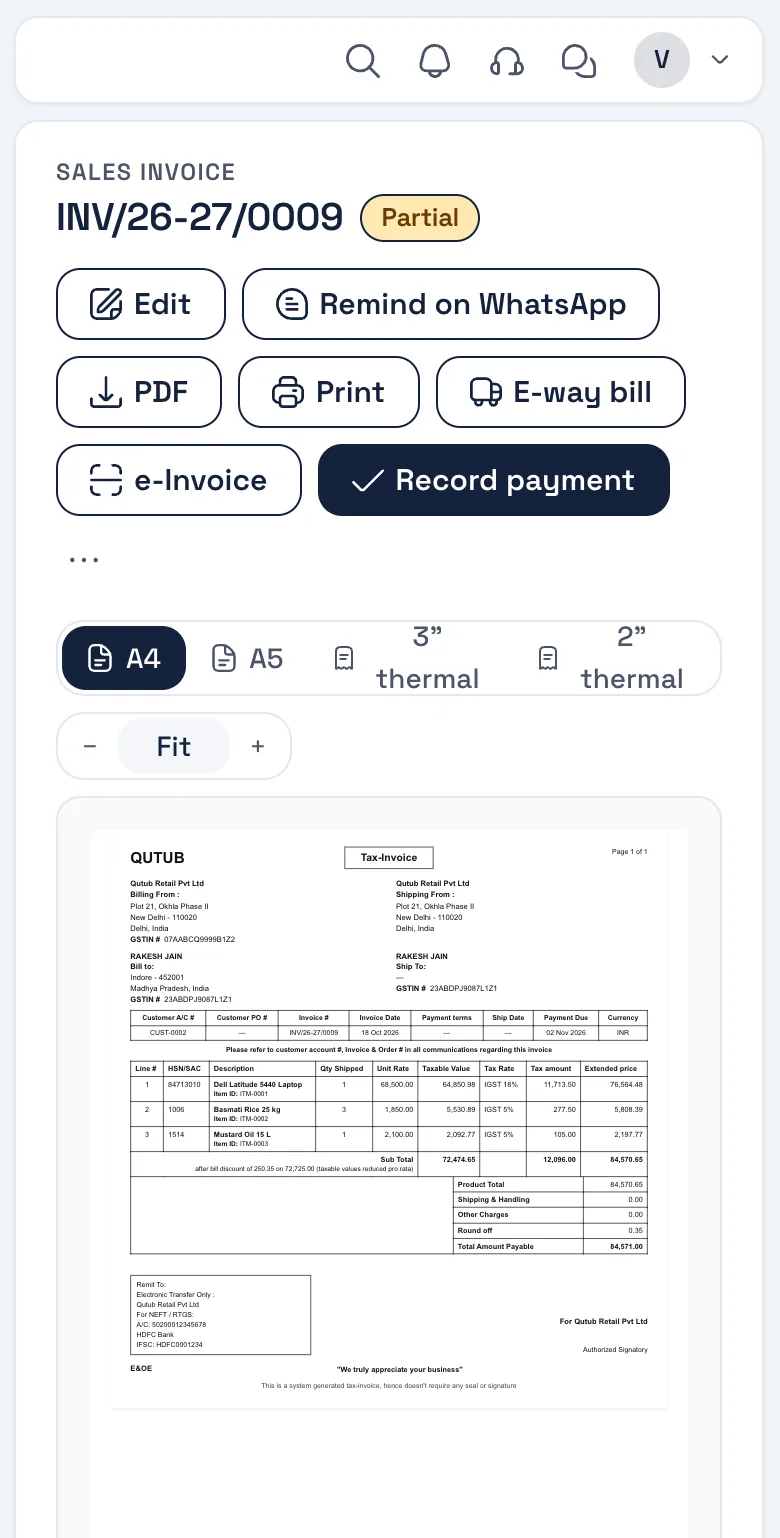
2Staff see only their branch
Add staff to a business with a role; a biller at one branch cannot see another branch’s reports or prices.
Real screen, sample data Month end
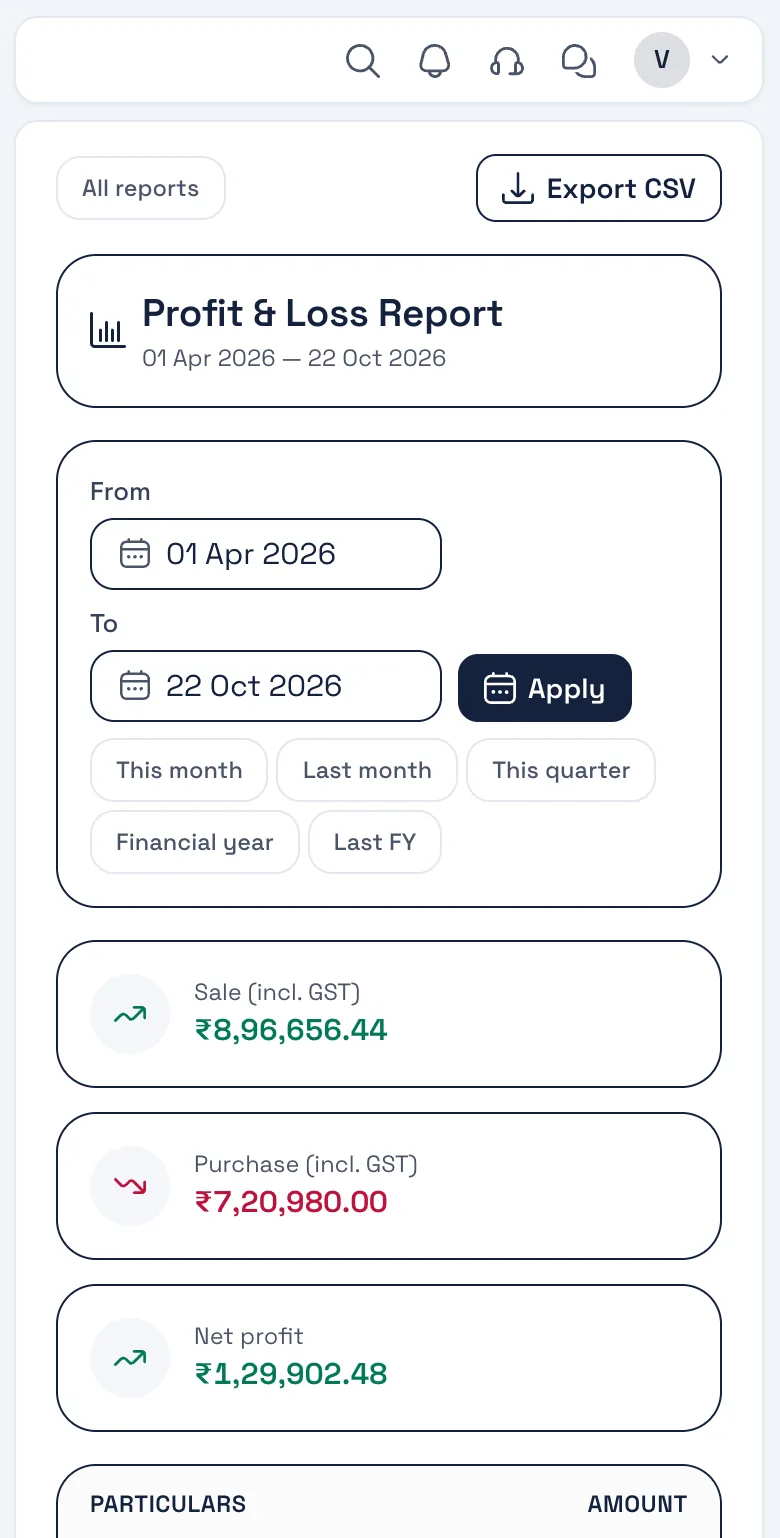
3Returns per GSTIN
GSTR-1 and P&L per business, exported separately for each GSTIN, so filing stays clean.
Real screen, sample data
What you will use
Features owners of several businesses reach for
All on the free plan unless marked GST add-on. Nothing listed here is coming soon — it is in the product.
- Several businesses, one loginSwitch between businesses without signing out.
- A database per businessEach business is kept in its own database.
- Staff rolesPermissions per person, per business.
- Own GSTIN and numberingPrefix and next number per document, per business.
- Reports per businessGSTR-1, P&L and outstanding for each.
- GodownsStock per godown inside a business.
Invoice layout for several businesses
The Zones layout
Our default layout — each business sets its own logo, colour and terms once, and every document in that business follows.
Our default — billing and shipping blocks, customer PO, payment terms and a UPI QR. Four more layouts to pick from; add your logo, signature, colour and terms once in Settings → Theme & Template.
See all five layouts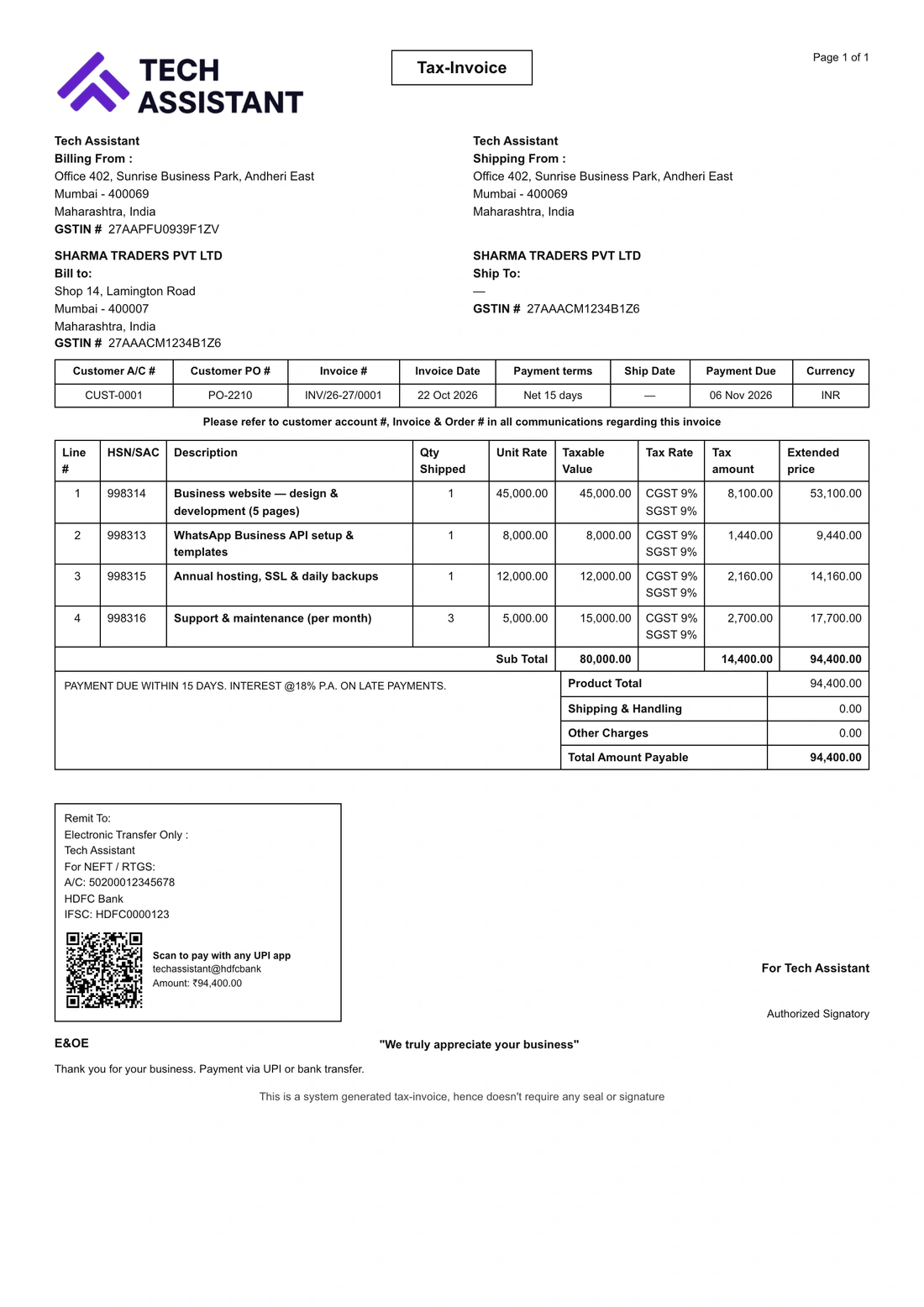
Several businesses
Questions from this trade
Is each business really separate?
Yes. Every business has its own database, GSTIN, numbering, team and settings. Switching business switches everything.
Can a staff member work in two branches?
Yes — invite the same email to both; they pick the branch when they sign in or switch from the menu.
Is there a charge per business?
The portal is free for every business. The GST add-on (e-invoice, e-way bill) is per business that needs it.
Can I see all businesses in one report?
Not today — reports are per business, which keeps each GSTIN’s filing clean. A combined view is on the roadmap.
Is a branch the same as a godown?
A godown is a stock location inside one business; a branch with its own GSTIN is a separate business.
Other trades
Built for every kind of business
Start billing for your businesses today.
Free account, no card. Your own database, the Android app, and your data importable from Excel or your old software.