
For electrical and hardware shops
Walk-ins, contractors and credit — one bill book.
Bill walk-in customers in seconds, give contractors proper GST invoices with HSN, and chase credit sales with WhatsApp reminders instead of phone calls.
Free forever plan · web and Android · your own database per business
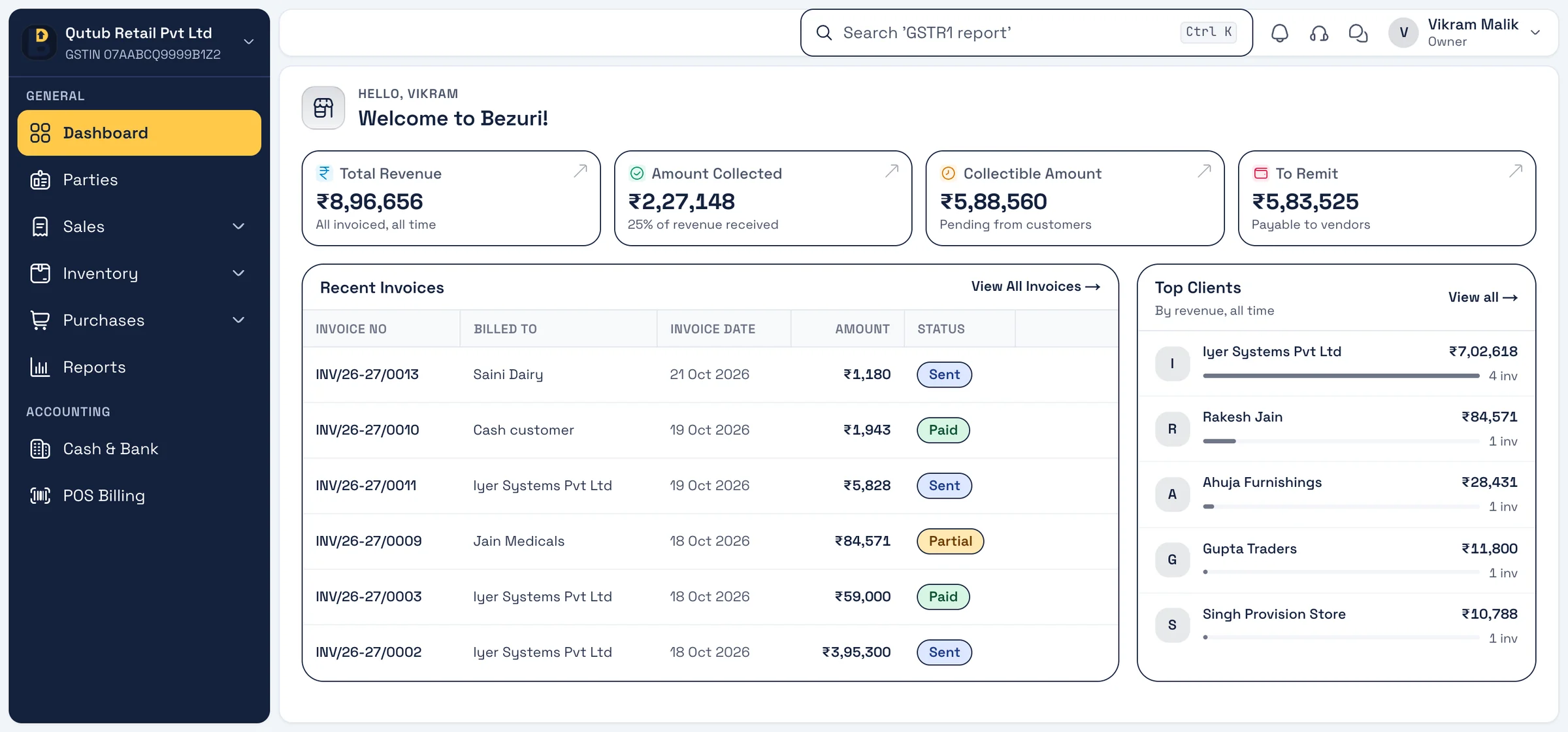
A day with Bezuri
How electrical and hardware shops use it
Three moments of a working day, each on a real screen from the app. Every feature shown is in Bezuri today.
Morning
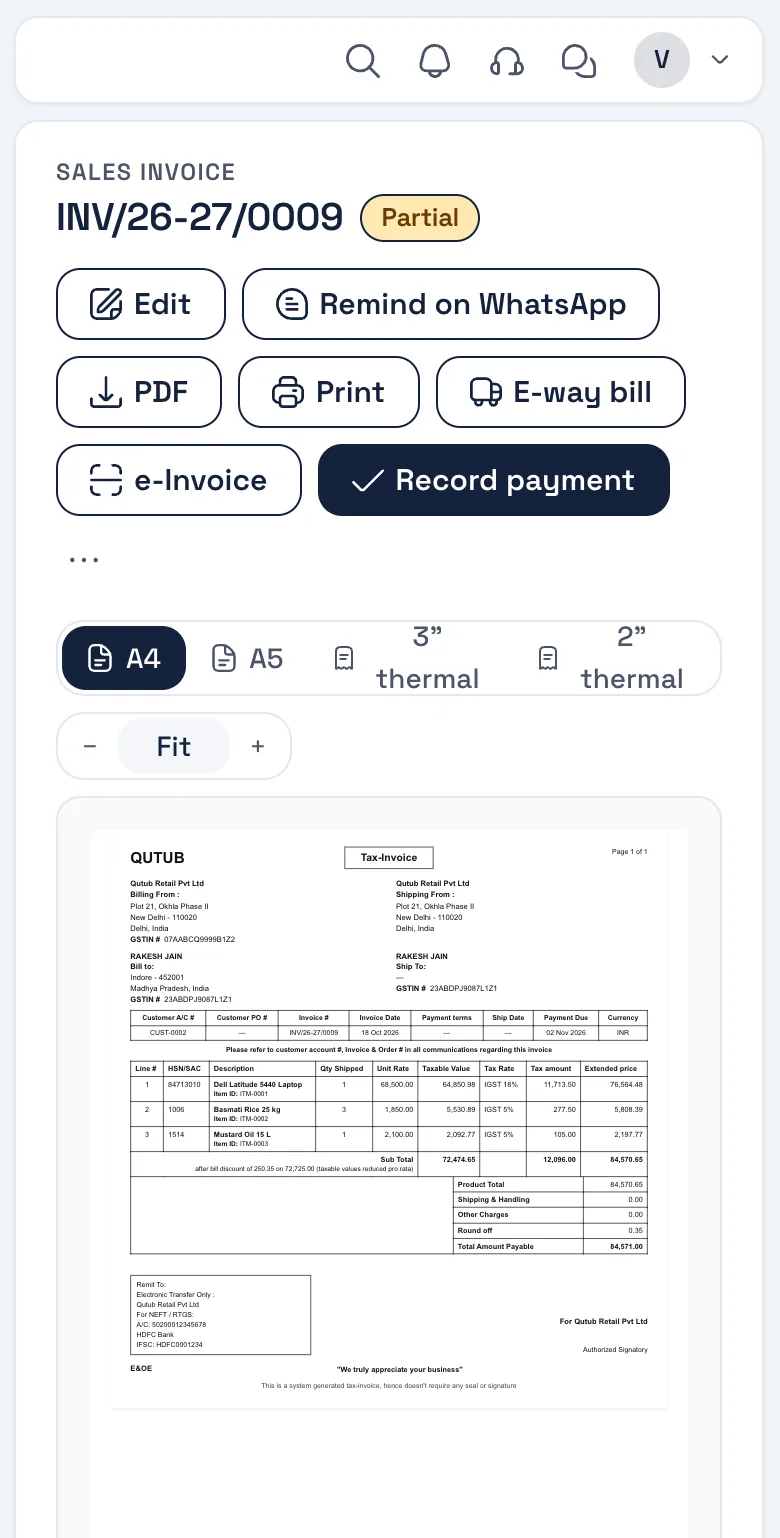
1Contractor on credit
A GST invoice with HSN on every line and the party’s GSTIN; it goes on their account and shows in their outstanding straight away.
Real screen, sample data Afternoon
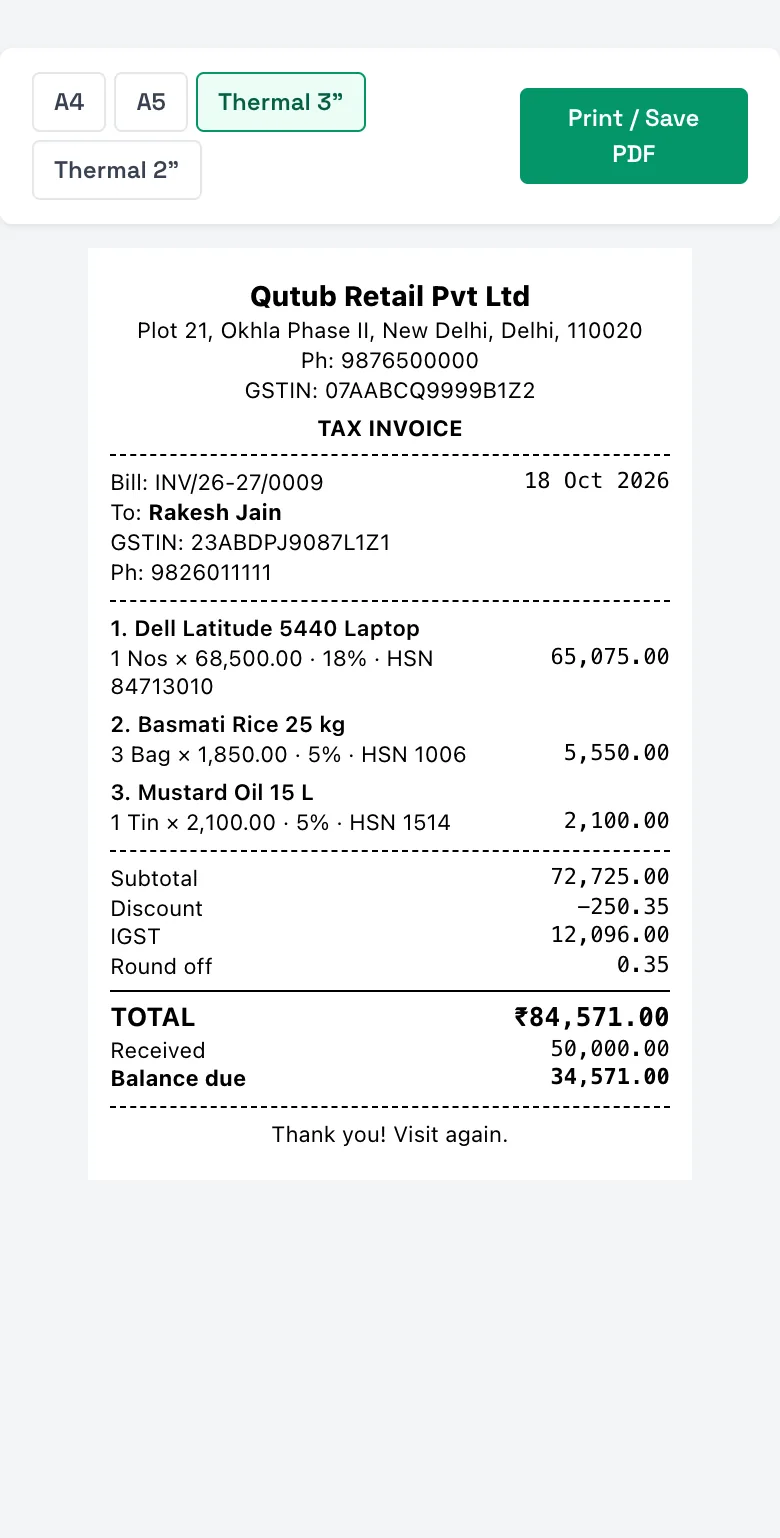
2Walk-in at the counter
Scan or search, take UPI, print a thermal receipt — stock comes down by the units sold.
Real screen, sample data Week end
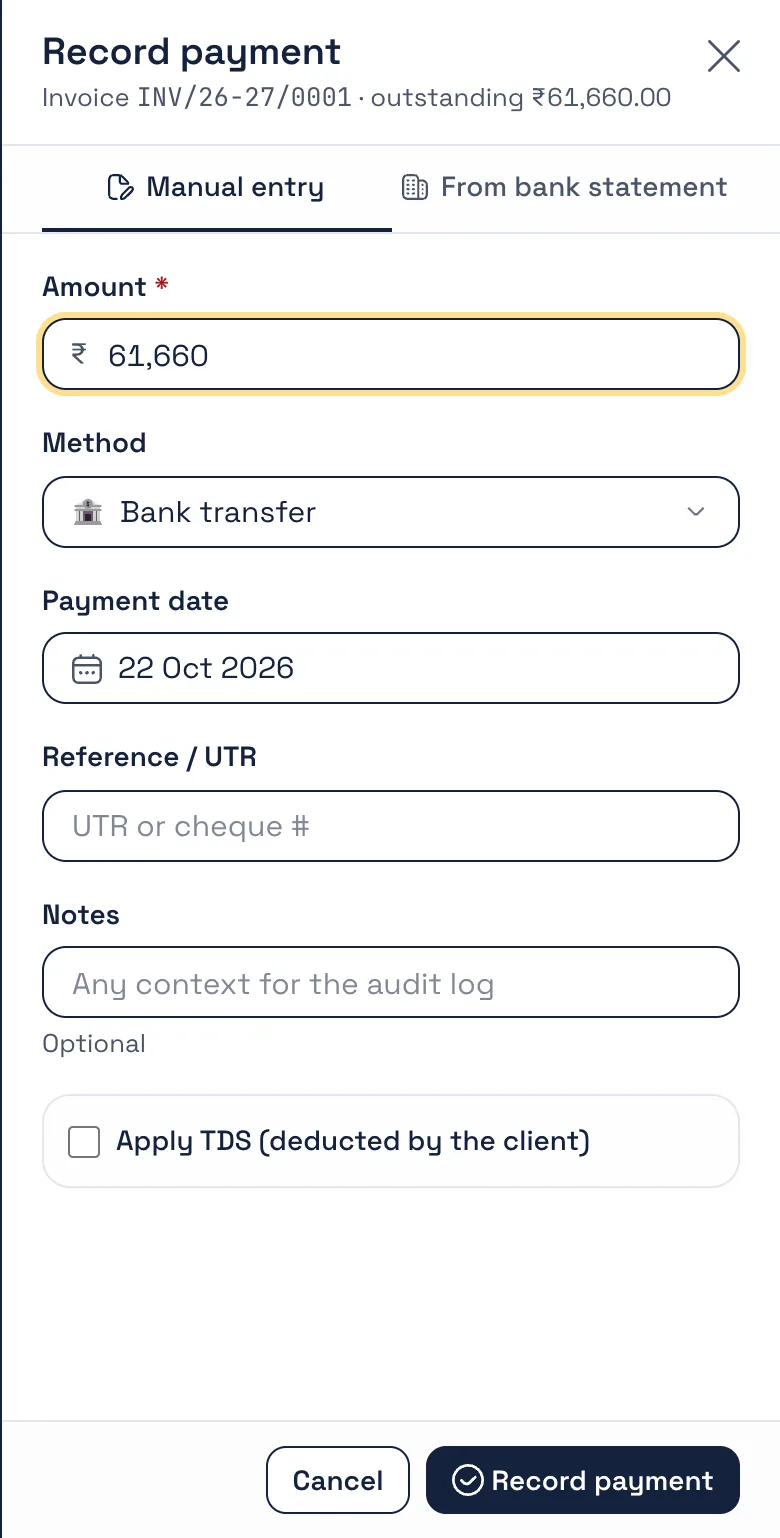
3Collect what is due
Send WhatsApp reminders with the bill link; record part payments as they come in, against the right invoice.
Real screen, sample data
What you will use
Features electrical & hardware reach for
All on the free plan unless marked GST add-on. Nothing listed here is coming soon — it is in the product.
- GST invoices with HSNRate and HSN per item; CGST/SGST or IGST by state.
- Customer outstandingCredit sales per party, ageing and ledger.
- WhatsApp remindersScheduled, with the bill link; part payments recorded.
- Stock across SKUsUnits, low-stock alerts and value at purchase cost.
- POS and thermal receiptsFast counter billing for walk-ins.
- Sales returnsReturn notes that put stock back and adjust the account.
Invoice layout for electrical & hardware
The Detailed GST layout
Every GST detail on one page — state codes, HSN summary, signatory — for contractors who claim input credit.
Every GST detail on one page: state codes, ship-to, HSN summary and signatory. Four more layouts to pick from; add your logo, signature, colour and terms once in Settings → Theme & Template.
See all five layouts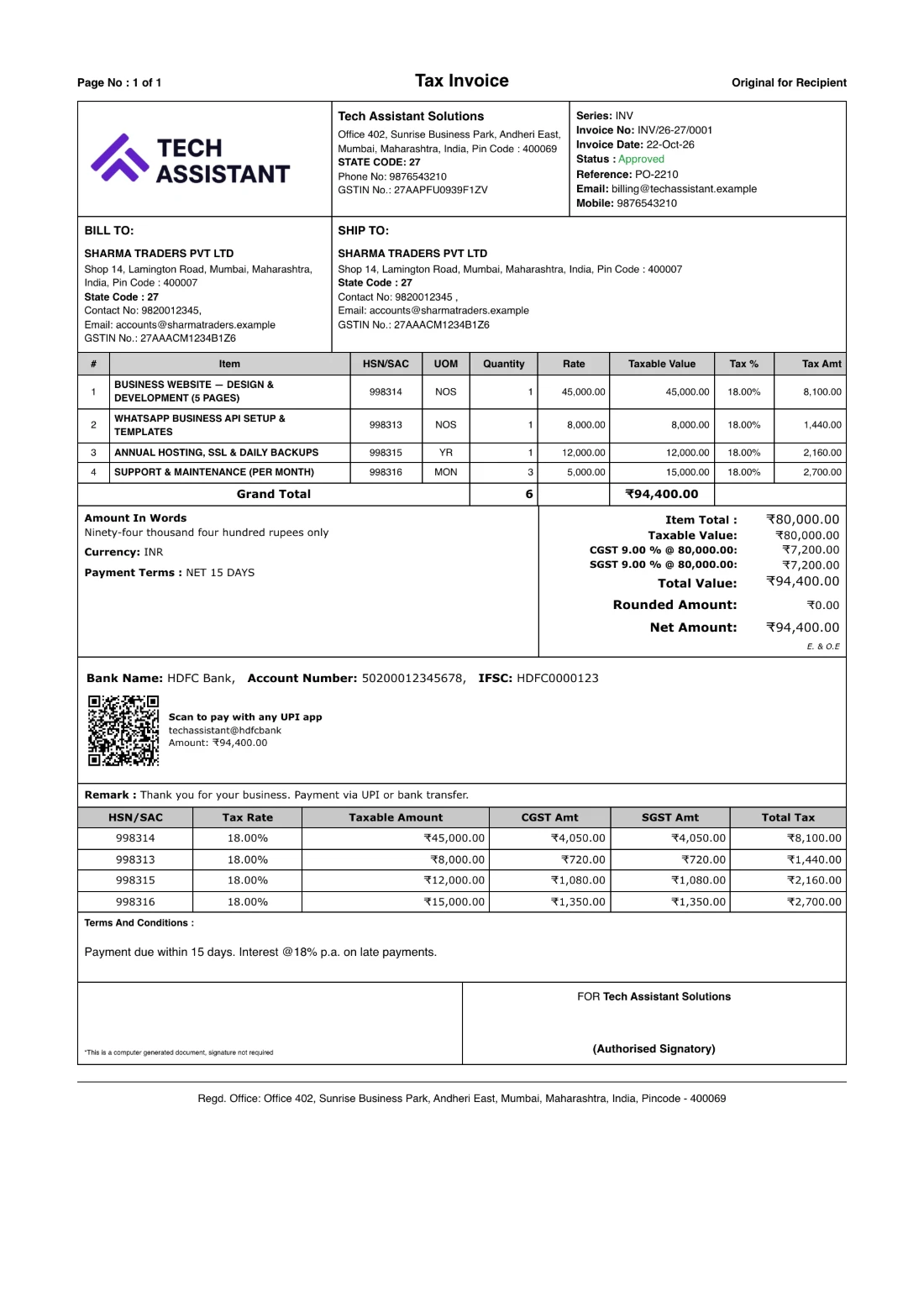
Electrical & hardware
Questions from this trade
Can one customer have both cash and credit bills?
Yes. Mark a bill paid at the counter or leave it unpaid on the party’s account; the outstanding and reminders cover only what is due.
Can I set a credit limit or period?
Opening balances and due dates per invoice are supported; the outstanding report shows ageing so you see who has gone past terms.
How many items can I keep?
There is no item limit on the free plan. Import your list from Excel or your old software to start.
Do reminders go from my WhatsApp number?
Yes. Link your own WhatsApp in Settings → WhatsApp; reminders go from your number with the invoice link, on the schedule you set, to the customers you choose.
What about returns and replacements?
Record a sales return against the invoice; stock goes back up and the customer’s account is adjusted.
Other trades
Built for every kind of business
Start billing for your electrical & hardware today.
Free account, no card. Your own database, the Android app, and your data importable from Excel or your old software.